Squarespace Analytics
Install Glass Analytics on Squarespace
#You can install Glass Analytics analytics on Squarespace using the code injection tool.
Important: Squarespace Business Plan Required
Code injection is supported on Squarespace business plans and higher. Make sure you have the appropriate plan before proceeding.
How to install Glass Analytics on Squarespace 7.1
Edit your Squarespace site.
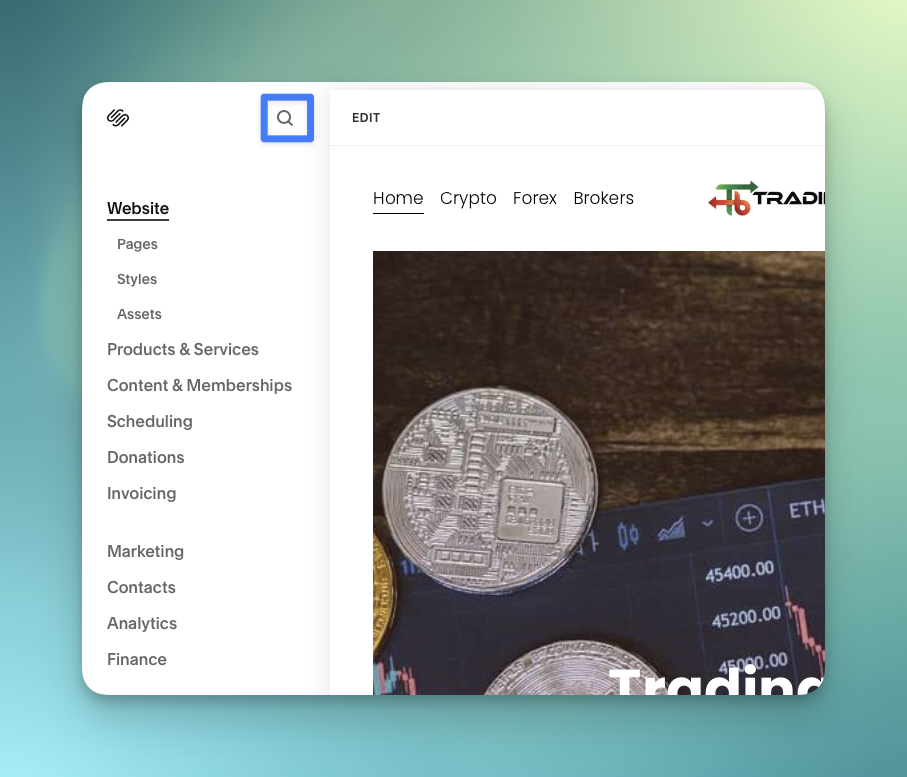
Click the 'Search' magnifier tool at the top of the Squarespace menu.
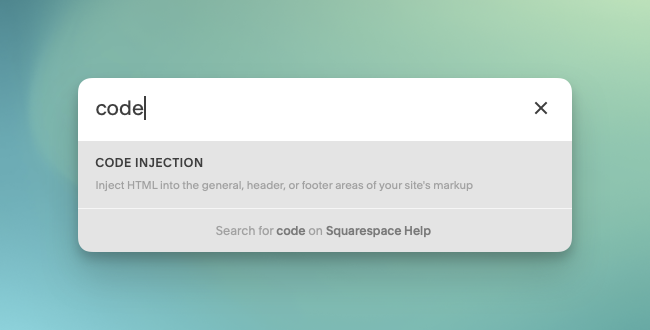
Search for code injection and select it.
Code injection is supported on Squarespace business plans and higher.
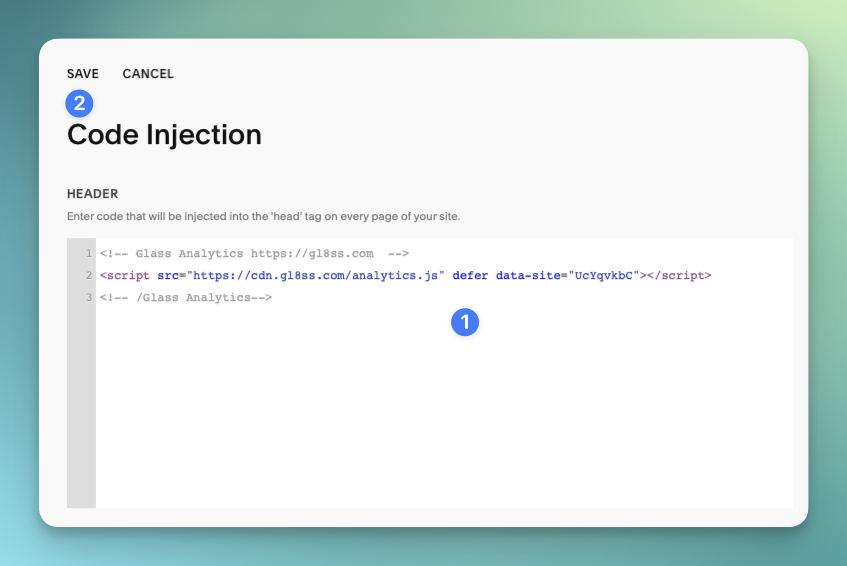
Paste your Glass Analytics Tracking code and press
Paste your Glass Analytics tracking script into the Header section and press Save.
Your tracking will look different; paste only the script Glass Analytics gives you.
Verify your traffic is coming through in Glass Analytics
Visit a few pages on your Squarespace site to generate some traffic data.
Make sure you view your actual Squarespace site when doing this, on your domain, rather than clicking inside the editor.