Cross Domain Tracking
What is Cross Domain Tracking?
#Cross domain tracking is the process of tracking analytics across multiple domains or subdomains.
You might want to do this if your marketing site and sign-up/checkout site are across different domains/subdomains, for example: yoursite.com and checkout.yoursite.com.
How to set up cross domain tracking with Glass Analytics
Enter your site's analytics
If you already have a site set up and you would like to add another domain, select this site.
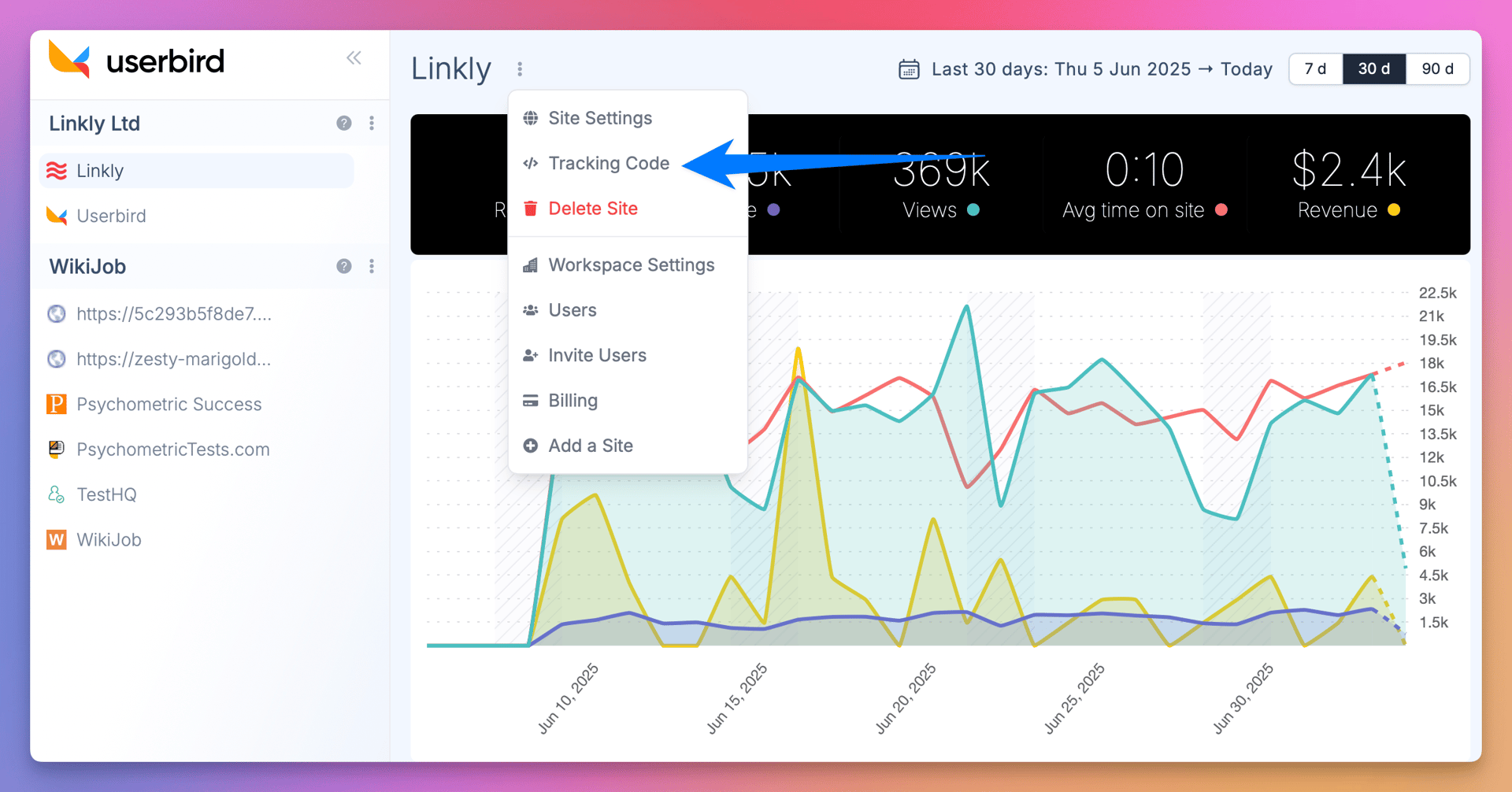
Click 'Settings' and select 'Tracking Code' from the left hand side-bar
Copy the script and inserted it into your new domain.
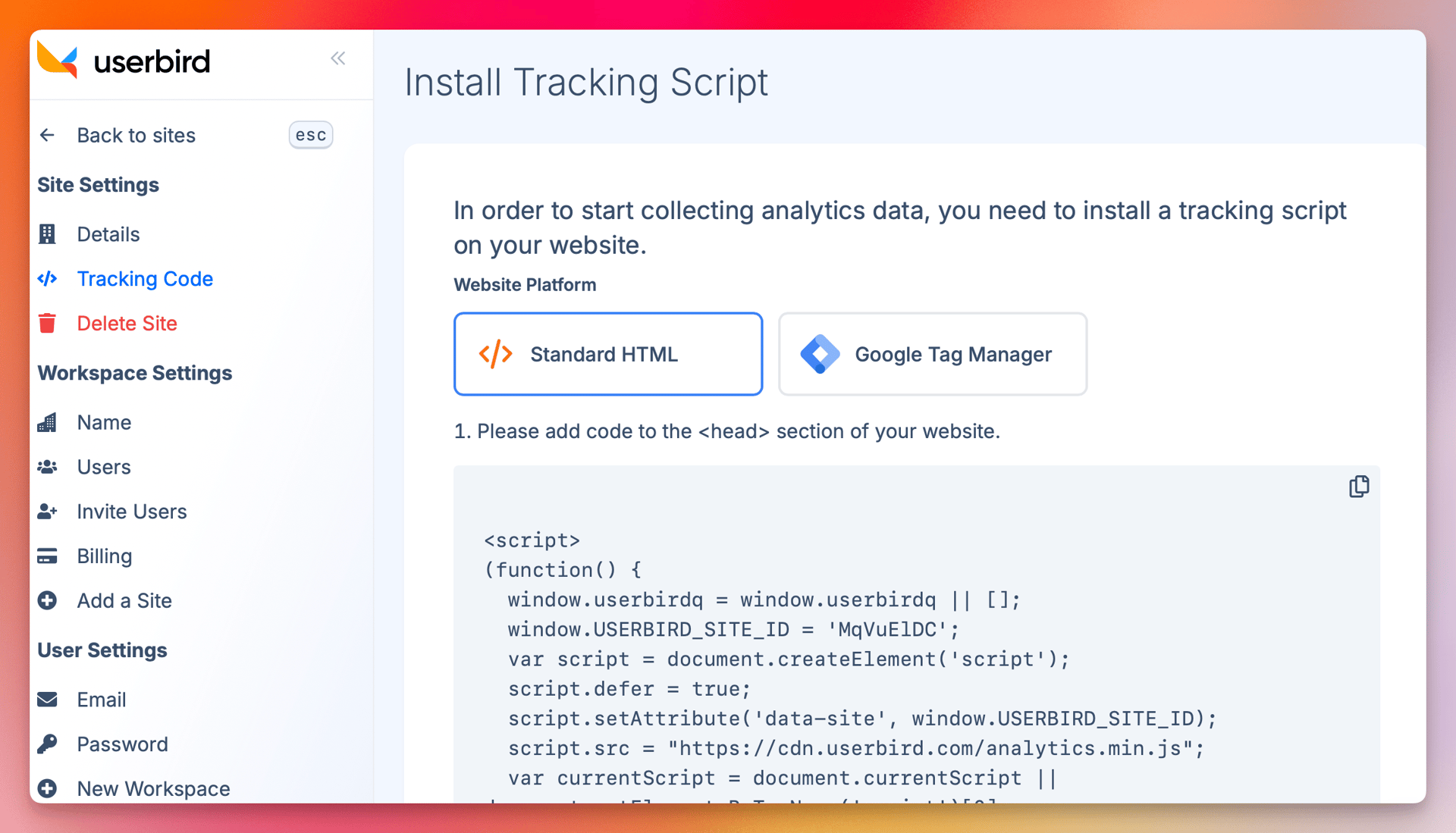
Add the tracking script on the domains/subdomains you want to record
There is no limit to how many domains you track in a single Glass Analytics site.
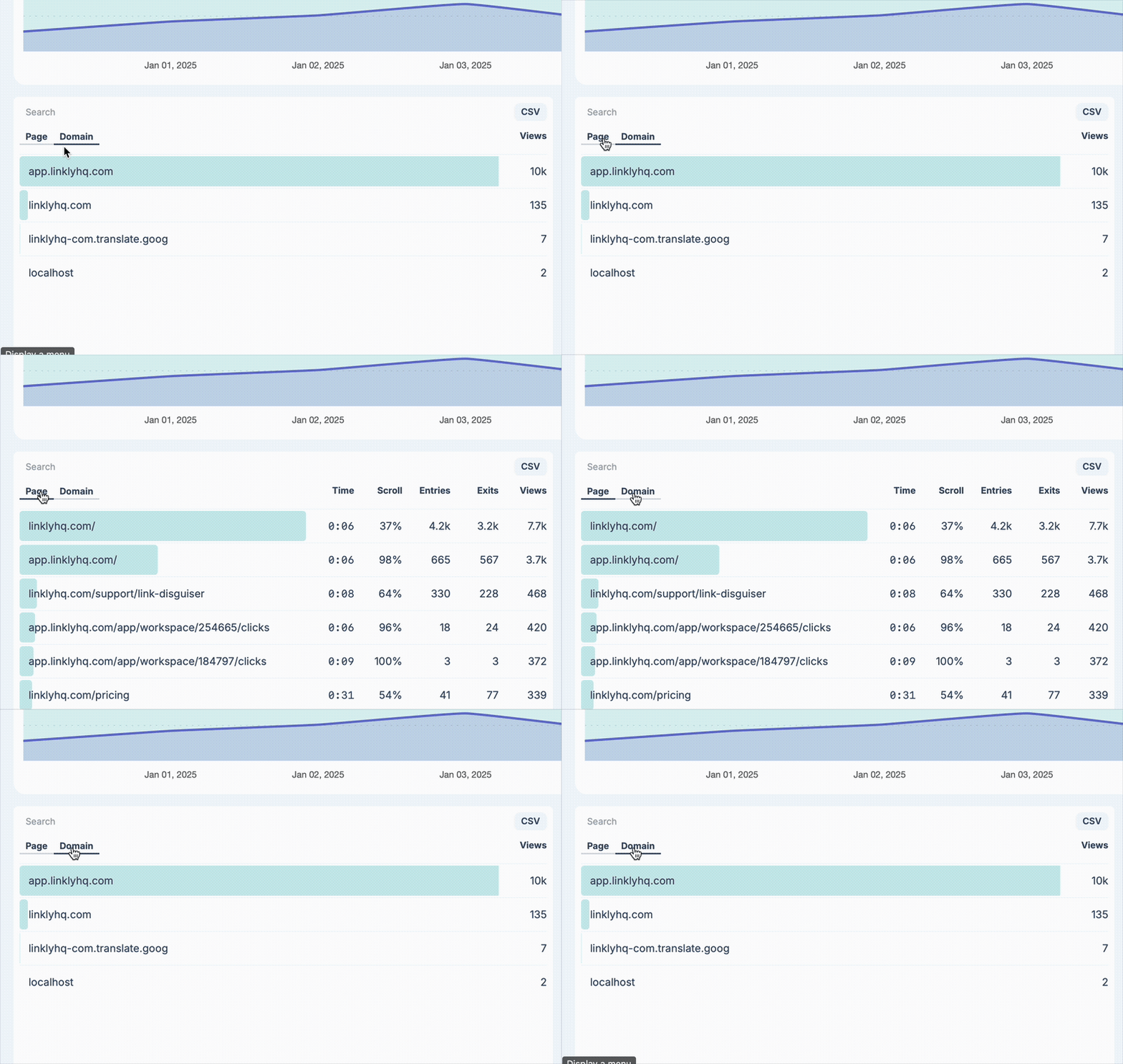
On the analytics page, click Domains in the first pane.
You can segment by domain or subdomain here.
Frequently Asked Questions
How does Glass Analytics maintain sessions across domains?
Glass Analytics uses anonymous cookieless tracking, based on irreversible hashes of IP addresses that last at most 1 day.
Do I need to use a conversion linker or something similar?
No. Just place the Glass Analytics tracking tag with the site_id you want to ingest data to on the target pages, and Glass Analytics will begin tracking. Cross domain tracking is built-in.
Does Glass Analytics track across subdomains and domains?
Yes- Glass Analytics tracks across subdomains and domains alike.